How to use the "Shine Zone"

Members would have noticed that our latest Momentum Monday report included an entire new section titled the “Shine Zone”. This entry is an explanation of possible uses for the list.
In the spirit of Stockopedia’s objectives and mantra, this "Shine Zone" section and the stocks within it do not equate to a tip sheet. And to be frank, nor could it be. It is extensive, unwieldy and therefore not replacable.
So why do this? As the name implies, it seeks to shine a light on stocks in the “Zone” from a Momentum perspective, that we can then focus our attention. This helps us not waste our time (our most valuable commodity) on stocks whose charts do not command attention given their price chart.
The “Zone” that we have constructed is similar to the learnings I have been sharing previously. There is extensive coverage retained within past editions of Momentum Monday and in my chronicled “Momentum Investing journey” (links available in the most recent Momentum Monday edition.)
Their grounding is a combination of learnings including those of Charles Dow, Stan Weinstein, Joseph Granville, life experience and hurt money.
It is important to stress here that the “Shine Zone” only satisfies one part of the trading process, the buying process. It does not cover the sell process. I articulate my entire process in my articles.
The pragmatic nature of technical analysis means I cannot vouch for any specific past performance that can stand up to the rigours of assessment. But what I can say is that they work for me. And likewise you need to determine through your own investigation whether they are right for you.
In 2020 when I left my previous employer and became a self-funded unemployed fund, I was remarkably successful both then and in 2021. So much so I managed to continue my freelance endeavours whilst also growing my portfolio. However in 2022, it did not yield as good a portfolio performance, however arguably I believe it was more successful, as I met the objective I had set out to achieve when I started my Momentum journey which was to protect my downside and keep my profits. And let me tell you, there was plenty of downside in some of the hot runners of the early twenties.
So to use my example as an analogy, the “Shine Zone” as it is currently positioned would have helped me in 2020 and 2021. It would not be as useful in 2022.
What this list tries to do is bring to our attention stocks that are moving in the right direction and have an element of support behind them. To be specific the rules are as follows:
QM Rank above 80
Price is above the 2.5x ATR (I apply this rule manually as it is not in the screener)
50d MA is above the 200d MA
Price is greater than the 200d MA
Market cap greater than $200M
So the question from a member's perspective is, “Thanks Elio. But how on earth how do I use this list?” There are two distinct approaches to ongoing management. I am going to discuss the Easy way and the more Involved way.
The easy way…
Once you have had a look at the initial stocks in the list, or if you currently have a portfolio that you are happy with, then all you need to do is look at the weekly changes. When a stock comes in, look at the the setup, if a stock goes out identify where your stop loss level will be (if you hadn’t done so already).
This will become more evident from next week when we actually will get to see movement in the list.
The more involved way…
The first step is to take the stocks in Monday’s list and add them to a purpose built Folio as I have.
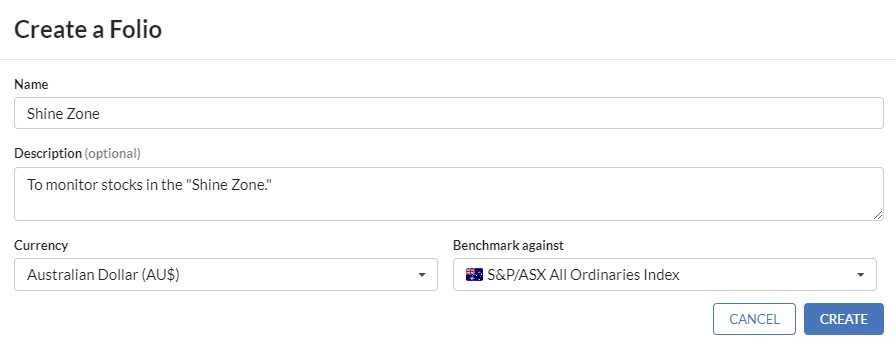
Step 1. Create a New Folio - Call it “Shine Zone”
Step 2. This is the most lengthy part of the process… Click on “Add Stocks” and enter each code one-by-one. Good news is this is a step you only have to do once.
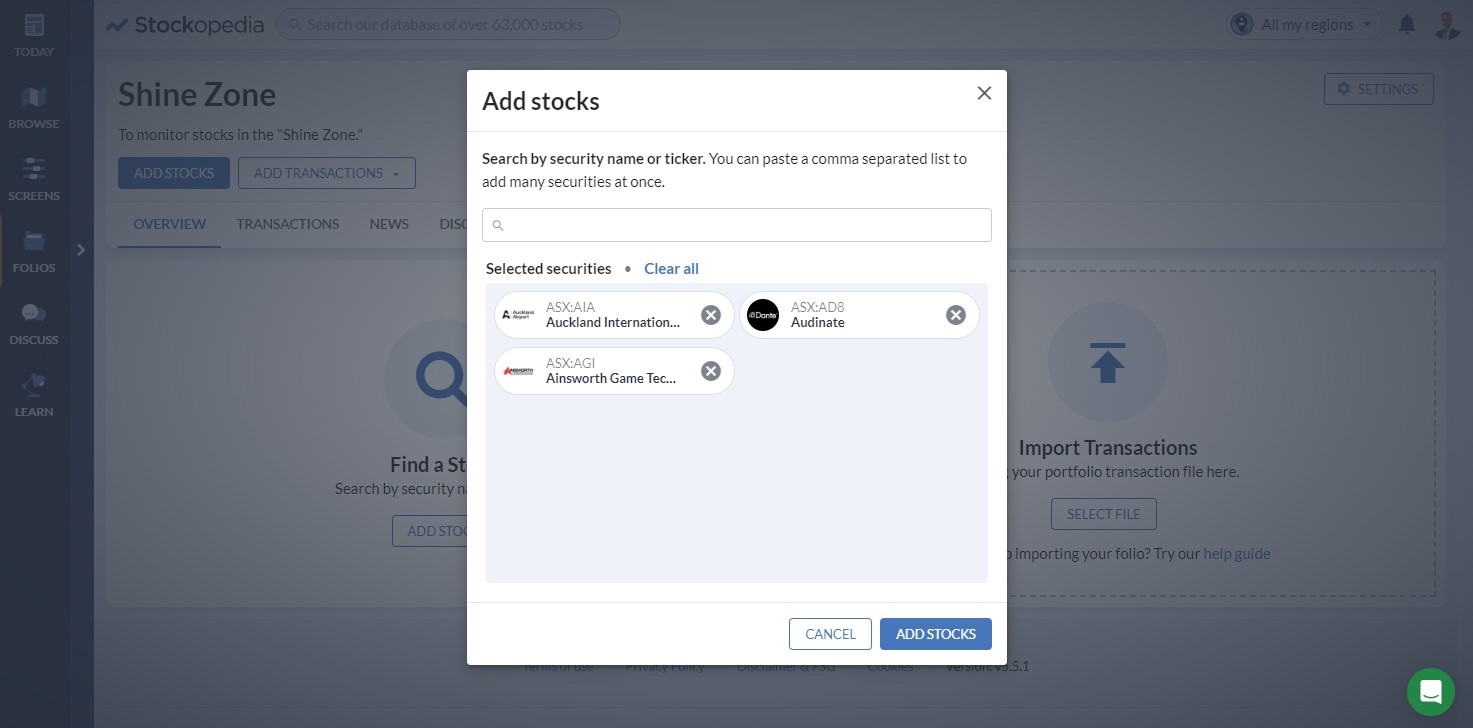
Hint #1: Don’t do more than 20 at a time as trying to upload too many stocks at once may be confusing.
Hint #2: By using the “Add Stock” function there is no need to worry about purchase prices etc . If you want to enter transactions, be my guest, but it is not necessary.
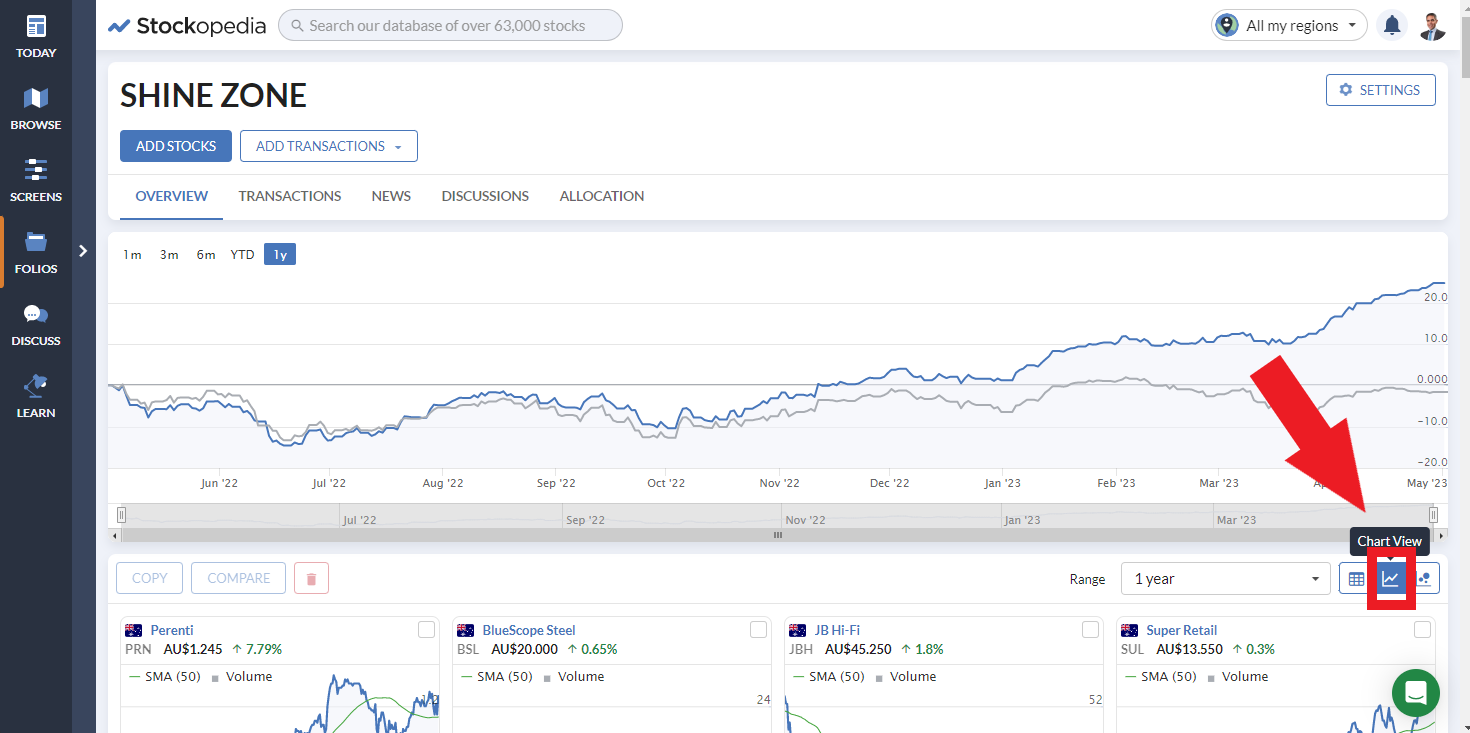
Step 3. Once you have added the stocks, view the list as Charts
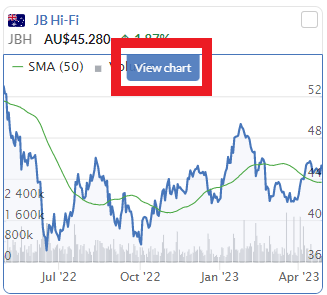
Step 4. You can chose to view all the charts here, or alternatively move you mouse over one of the charts and click on “View Chart”
Step 5. This will make the full charting program appear. But here is the trick, because you have opened it in the Folios section, you will notice there is an easy scroller / select tool that will allow you to scroll through each chart one by one without having to type every code. You can change the chart by clicking on the mouse or using the left/right arrow on your keyboard. So sit down with a warm beverage and enjoy!
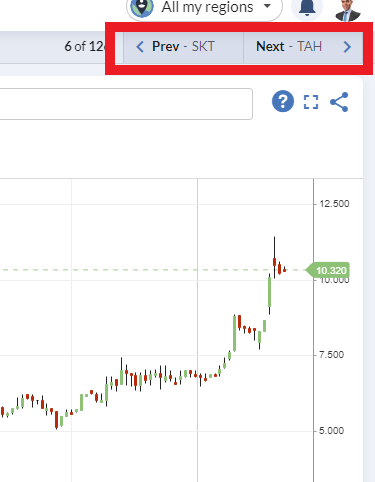
Step 6. Scroll through all the stocks at your own leisure, eyeballing how close they are to support / resistance, how OBV looks, how does the price sit against the moving averages or any other indicator you wish. If you want to learn more about setting up your own view in the charting tool, read this article here.
Step 7. Each week when Momentum Monday is released you will see stocks that have just entered the zone, and those that have left it. Simply remove those that have been removed, and add those that have just entered. Once you have done that, repeat Step 5.
Final point: Use the “Shine Zone” list as a validation tool
Just like Stockopedia is an incredibly strong validation tool, the “Shine Zone” can be used in exactly the same way.
For example: if you receive a tip from a third party:
First look at their rationale. Does it make sense?
- Then view the company in Stockopedia to assess its qualities
What Factors are driving the stock right now
Look at the StockRank style
Assess the numbers like Cash Flow, financial risk, dividend etc
Then look at the “Shine Zone” list - if it is there the price is set up right.
So… If the stock recommended has sound rationale PLUS the fundamentals (including earnings momentum) stack up PLUS the price is in the “Shine Zone”, then that is three validation points you have ticked off adding to the buy side argument.
Conclusion
To do investing properly takes a little work. Hopefully the addition of this list will help save you significant time by presenting stocks in my “Shine Zone”, helping you to identify where the bulls are running whilst also helping to validate tips you may be receiving elsewhere from a Momentum perspective.
I welcome any feedback and if you ever feel a stock should be included and it isn’t, drop me a note and I will investigate.
Important Information: Stockopedia Ltd ABN 39 757 874 670 UK business registration number 0637267 (“Stockopedia”) is an Authorised Representative of Daylight Financial Group Pty Ltd ABN 77 633 984 773 (“DFGPL”) which is the holder of an Australian Financial Services Licence (AFS Licence No. 521404).
Information in this commentary is current as at date prepared unless otherwise stated. However, please bear in mind that investments can go up or down in value, and that past performance is not a reliable indicator of future performance. For more Important Information please refer to the Disclaimer section of this website.
This communication may contain general financial product advice. It has been prepared without taking into account your personal circumstances, and you should therefore consider its appropriateness in light of your objectives, financial circumstances and needs before acting on it.
If our advice relates to the acquisition or possible acquisition of a particular financial product, you should obtain a copy of and consider the Product Disclosure Statement (PDS) before making any decision.
Disclaimer
This is not financial advice. Our content is intended to be used and must be used for information and education purposes only. Please read our disclaimer and terms and conditions to understand our obligations.
5 comments
Just a couple of tips to help those who access stockopedia on the mobile like me.
To DELETE a stock from your Shine Zone folio:
1. There are check boxes (difficult to see) to the left of the stocks in your folio. Tick the stocks you want to get rid of and delete.
OR
2. Turn your phone sideways and a cog will appear to the right of your stocks. Tap the cog next to the stock you want to get rid of and hit delete.
Hopefully that saves someone some time.
Thank you!
A future suggestion for Momentum Monday is aii.asx ALMONTY INDUSTRIES a tungsten producer.
It is a Chess Depositary Interest listed on the asx.
Thank you. Interesting! Much appreciated. Sagie